💌 Part three is live / Is Claude training on your clients' data? / Claude edits my videos now
8 October 2026
buildwitholi
Hello people,
Happy Thursday!
As always, I've got some cracking use cases and stories to share with you this week.
[IN SHORT]
This week
- Part three is live: make Claude work like an employee.
- Your clients' data: a pinky promise or a proper contract?
- My video editor: how I taught Claude to edit all my videos.
- My daily driver: Opus 5.5, and why.
- Effort: think of it as a timer.
[NEW YOUTUBE VIDEO]
Part three, make Claude work like an employee
Part three of the course is out, and it's the idea everything else builds on.
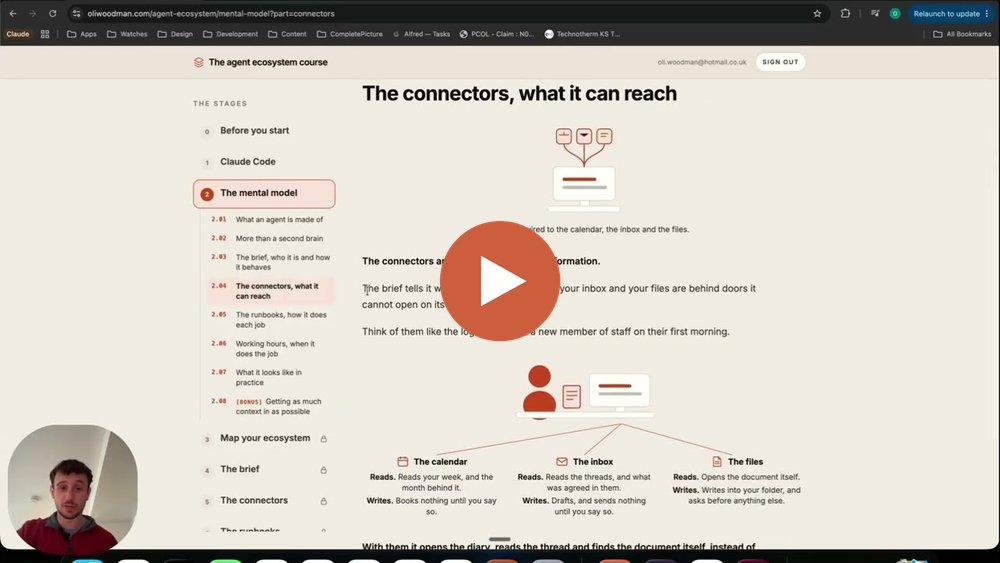
Think of Claude as a new employee, clever on day one but knowing nothing about you.
So you give it four things:
- A brief: who you are and how you work.
- Connectors: access to your calendar, inbox and files.
- Runbooks: how to do each job, written down once.
- Working hours: the jobs it runs on its own, on a schedule.
In the video I show two jobs that run for me every day, a briefing in my calendar each morning and replies drafted from my inbox each evening.
It's free once you sign up.
[YOUR CLIENTS' DATA]
Is Claude training on your clients' information?
This is the question I get asked most on calls.
It comes down to whether you want a pinky promise or a proper contract.
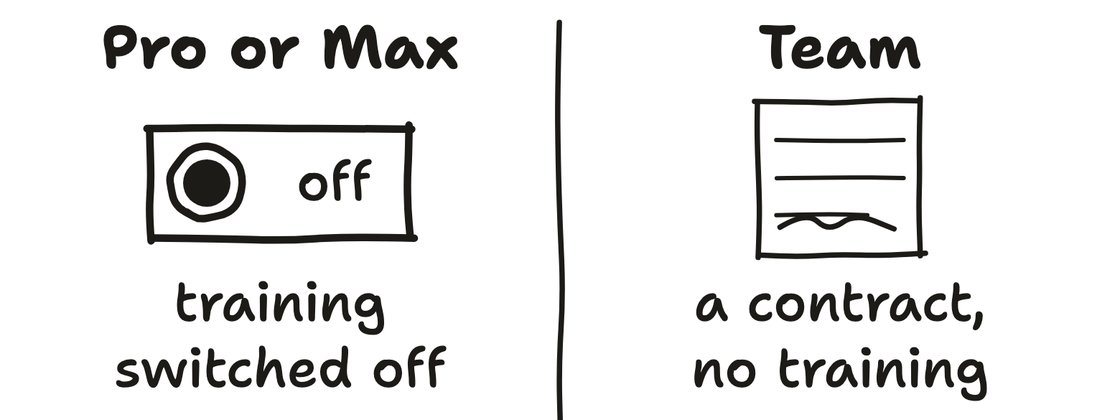
There are two kinds of plan:
- Pro or Max, the pinky promise: your chats sit under Anthropic's own terms, which they can change with 30 days' notice, and they can train on them unless you switch it off.
- Team, the contract: the same Claude for a little more a month, with a proper data processing agreement behind it, so your business controls the data and nothing is trained on by default.
If you're likely to need a Data Processing Agreement with your client, or want the added protection, it's probably time to move over to the Team plan.
(If you're staying on Pro or Max and haven't already, turn off "Help Improve our AI models" under Settings, then Privacy.)
Never hit the thumbs up
Even with training switched off, there's one way a client's details can still end up with Anthropic.
If you give a reply a thumbs up or a thumbs down, that chat is sent to Anthropic as feedback, and they can train on it whatever your plan.
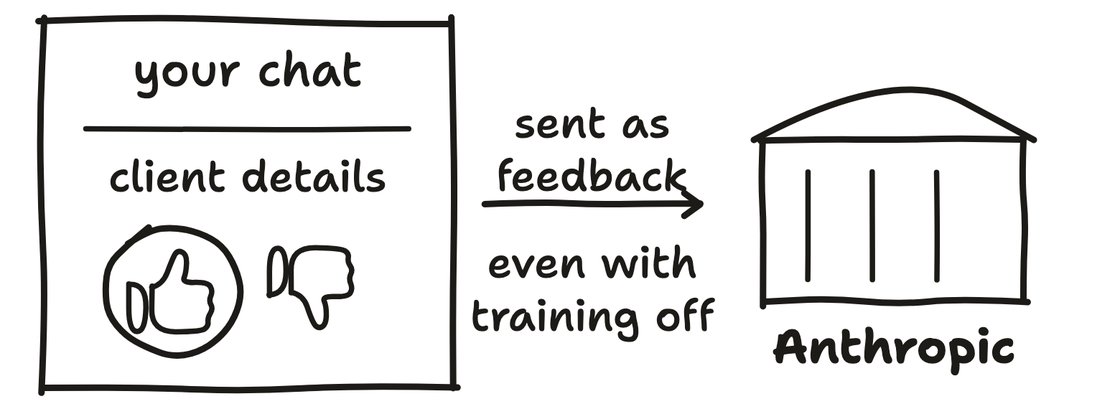
So never rate a reply in a chat with client details in it, and on Team, the owner can switch the rating buttons off for everyone.
The full steps are in the first part of the course, which is free.
[WHAT I BUILT]
Claude now edits all my videos
I post a video every day, and Claude now does every edit for me in Descript.
Here's how I got it there:
- One edit, step by step: I sat with Claude and talked it through editing one video, a step at a time.
- Turn it into a skill: then I asked it to look back over the steps and write them down as a skill, so it could do the same again.
- Practise on more videos: I had it run the skill on a few more, and fixed what it got wrong each time.
- Hand it over: now it does all of them.
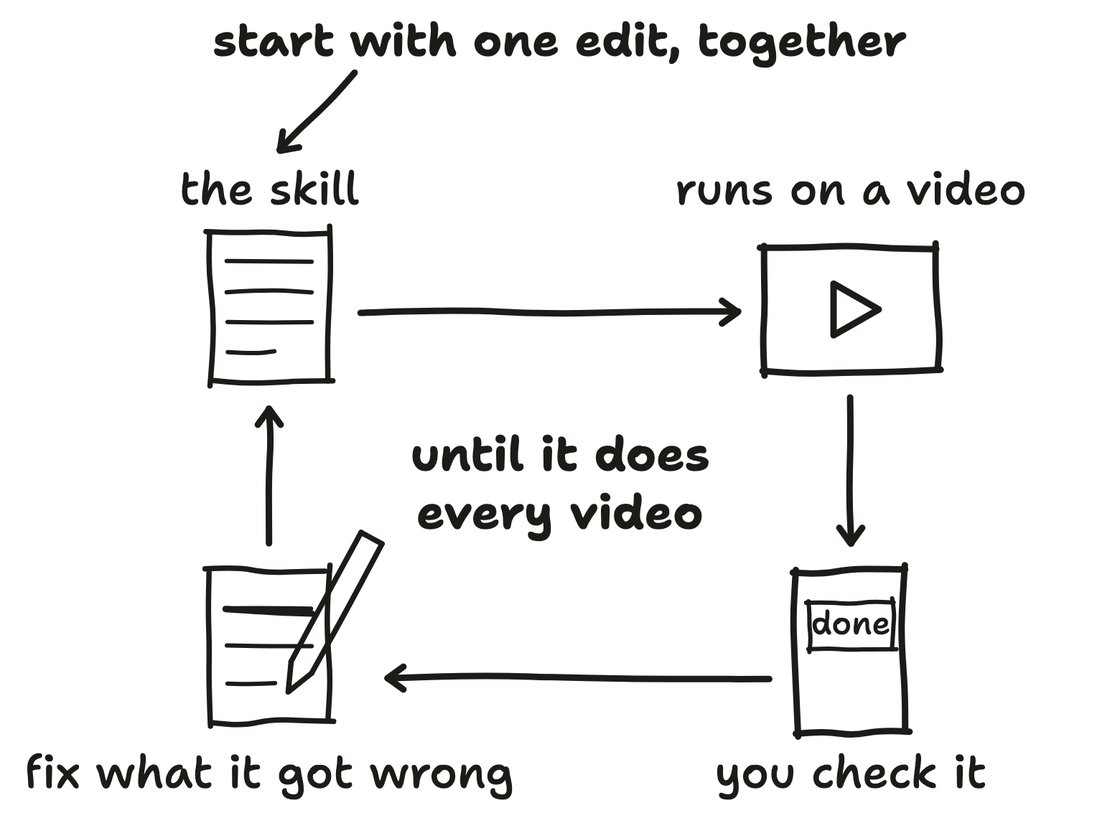
It's not fast, but that's fine.
I give it the link to Descript, and it gets on with it.
When it's done I get a notification, so I can check it.
(It's even figured out how to do the slow zoom that I never could.)
I'll be making a full video on this soon, and in the meantime I show how I taught it in part three.
[WORTH YOUR TIME]
Opus 5.5 is my daily driver
Opus 5.5 is honestly unbelievable, I use it for everything now, and it just gets it.
Anthropic say it's as good as their top model for most work, and it costs a lot less.
There's chatter online that Fable 5.5 is next, but Anthropic haven't said a word, so I'll believe it when I see it.
Think of effort as a timer
Before the 5.5 family, I didn't really notice a difference between the effort settings.
But now they're out it makes much more of a difference, and the best way I've found to think about it is as a timer, how long you're asking Claude to spend on a job.
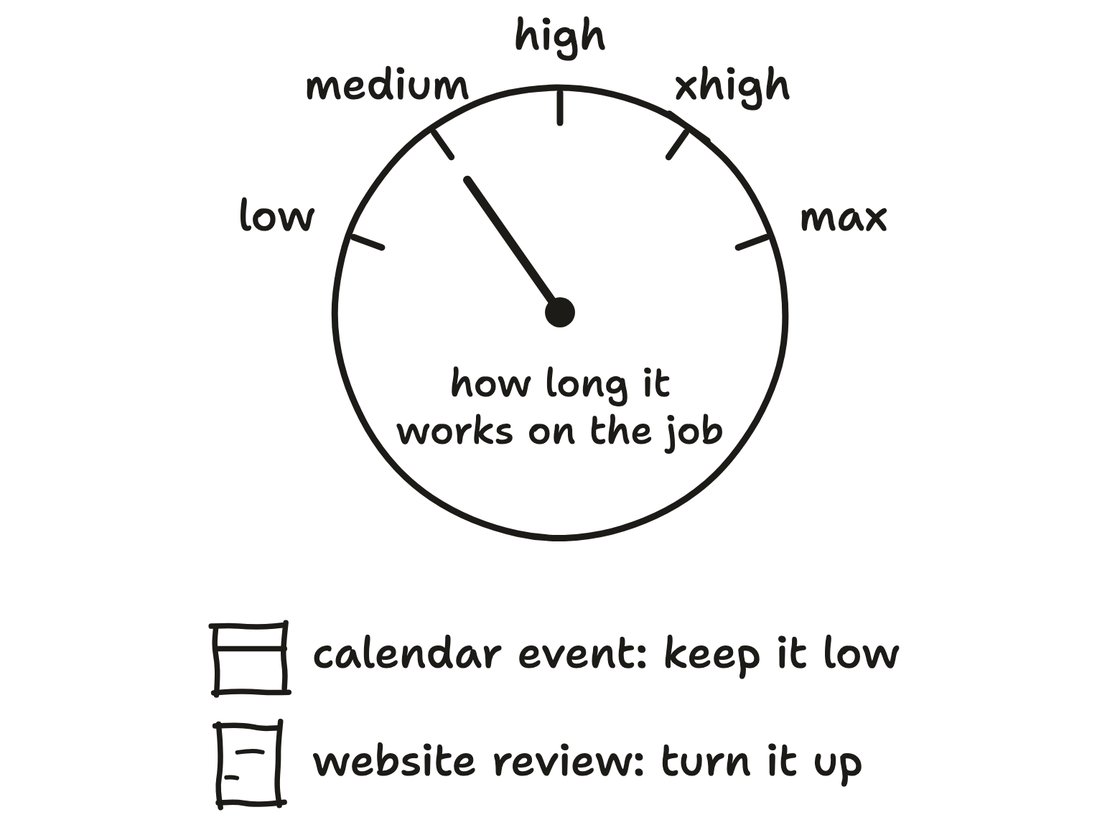
Put it on max for a calendar event and it'll wander off and do other things.
Put it on low for a website review and it'll miss things.
So ask yourself how long the job should take, and set it to match.
Thanks for reading.
If you're a coach or a consultant and you feel you're not getting as much out of AI as you could be, I'm opening some slots for a free 30-minute chat.
We'll spend the time talking through your setup, and how you're currently using it and how you could be getting more out of it.
If you're keen, I'd love to chat.
And if a chat isn't for you, I'm always looking for feedback on how I can help you get more out of these amazing tools, so hit reply and let me know what you'd like more of in these emails.
Chat soon,
Oli